File compressor for Mac
Make files smaller.
Keep them yours.
Squeezo shrinks, converts and edits your photos, videos, GIFs and PDFs, right on your Mac. Drop a file, get a smaller one, and nothing is ever uploaded.
Free to start
Fully offline and private
macOS Sonoma 14.0 or later
100%
OFFLINE
NO
ACCOUNT
FULLY
SANDBOXED
APPLE
NOTARIZED
APPLE
SILICON
UNDO
ANYTHING
PAY
ONCE
Your files, smaller wherever you drop them
Use the Shift-drag wheel, the menu bar, watched folders or the main window. Squeezo compresses, converts and edits photos, videos, GIFs, PDFs and audio, entirely on your Mac.
Shift-drag wheel
Compress
Convert
Resize
Crop
Rotate and flip
Enlarge
Watermark
Hide faces
Remove background
PDF to Markdown
Merge and split PDF
Watched folders
Menu bar and Shortcuts
Undo anything
On-device OCR
Hold Shift. Pick an action. Drop.
Drag files from anywhere on your Mac and press Shift. A wheel opens under your cursor: drop on Compress, Convert, Resize, Crop or Remove Background, and Squeezo does it without opening a window.
One window. Every tool.
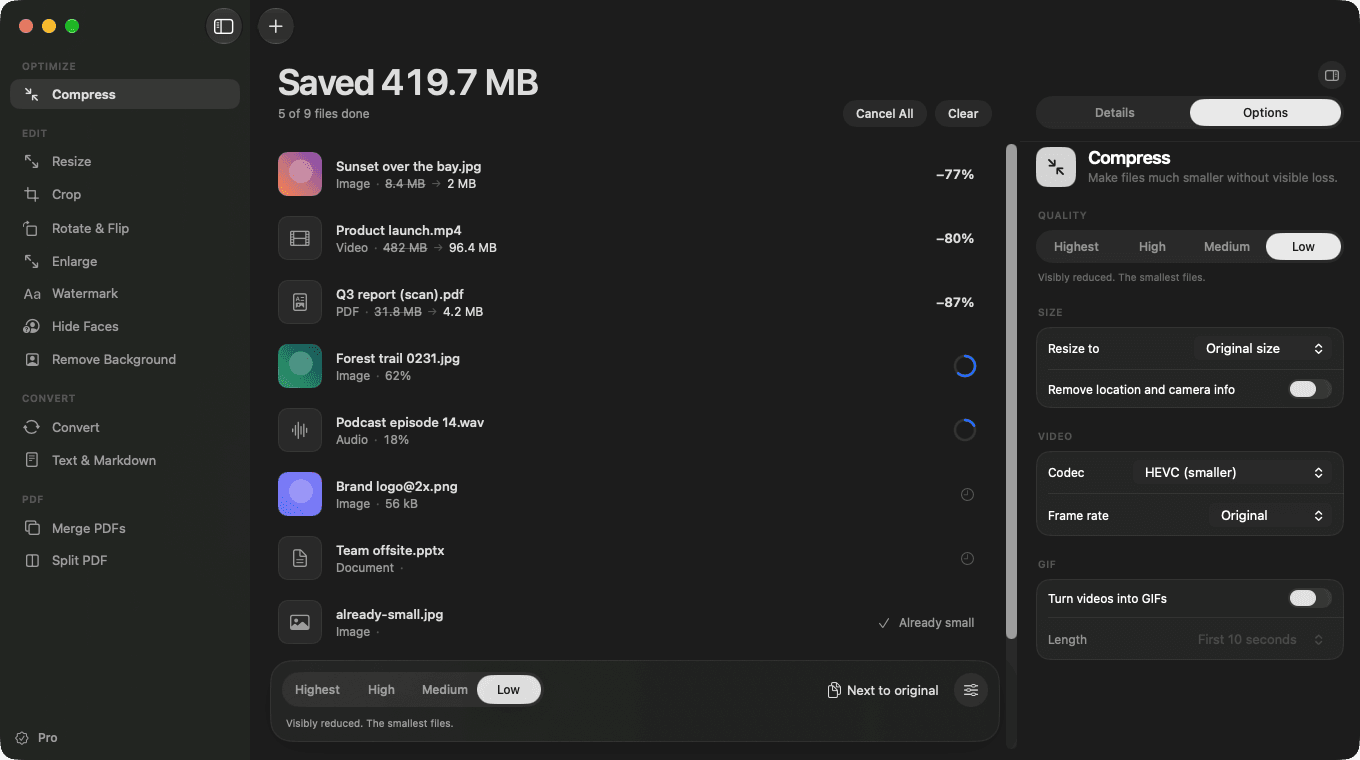
Pick a tool on the left, drop your files in the middle and tune the options on the right. Everything is a click away, and the original is always kept safe.
See every edit before you run it
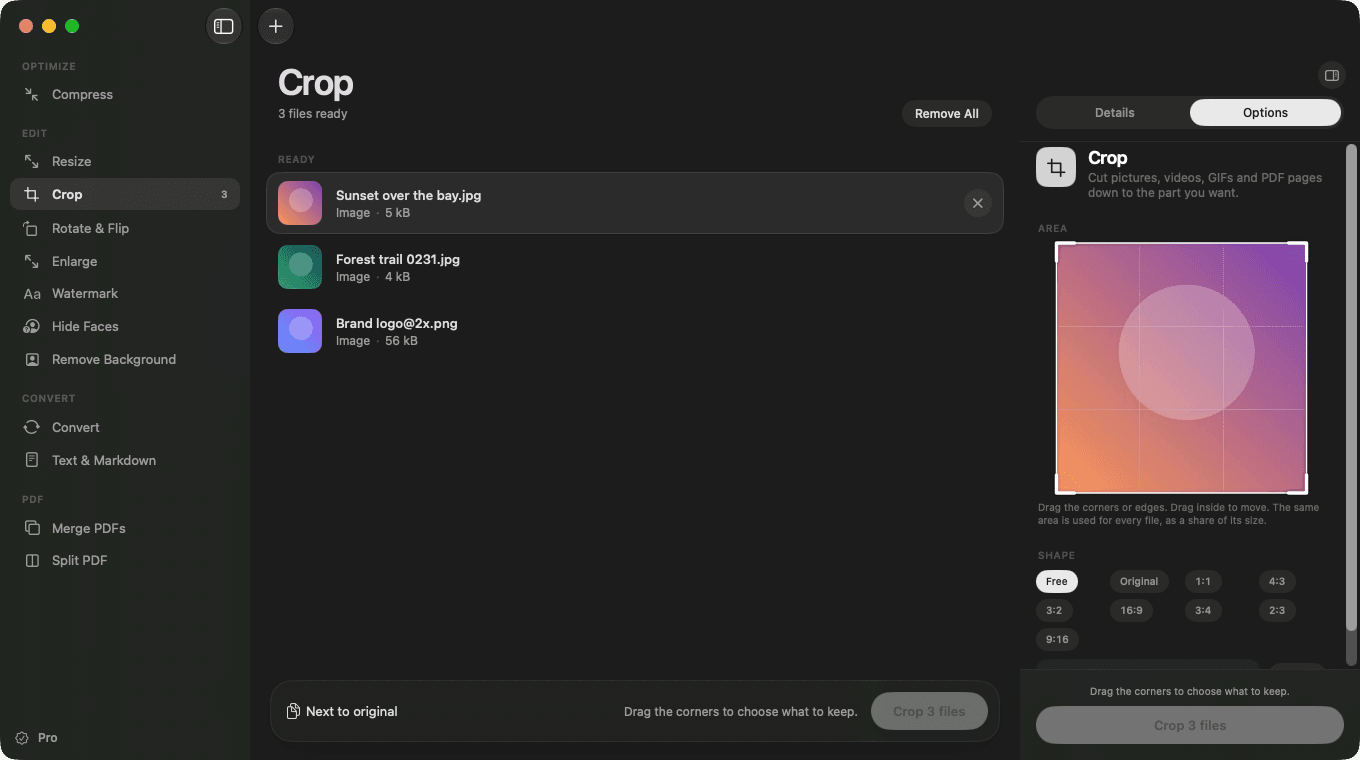
Drag the corners to crop, place a watermark, or choose a ratio like 1:1, 4:3 or 16:9. Each edit has a live preview, and it works on pictures, video, GIFs and PDF pages.
Smaller files, same look
Squeezo picks the right encoder for each format and checks the result. It never hands back a file larger than the one you gave it.
Video · 4K HEVC
−77%
Before
1.82 GB
After
412 MB
Constant-quality HEVC or H.264. HDR stays HDR, and the original is kept if the result would not be smaller.
Photos
−76%
Before
5.4 MB
After
1.3 MB
JPEG, PNG, HEIC, TIFF.
−87%
Before
48 MB
After
6.1 MB
Scans shrink. Text stays selectable.
GIF
−65%
Before
22.6 MB
After
7.9 MB
Palette and frame optimisation. The animation stays intact.
Sample results from typical files. Savings depend on what is in your file.
Watched folders
Point Squeezo at a folder and every new screenshot, download or export is shrunk for you, once, without loops.
~/Downloads/To compress
IMG_4021.heic
−76%
Scan 0042.pdf
−87%
Screen Recording.mov
−71%
Undo anything
Replaced originals go to the Trash first. One click in the list brings the file back, exactly as it was.
Moved 3 originals to Trash
Undo
Fully offline
Your files are processed on your Mac and never uploaded. There is no account and no analytics. The only network requests are the license check and update check.
0 bytes of your files uploaded
Built for everything you drop
From photo shoots and screen recordings to scanned contracts and slide decks, Squeezo keeps every file light and ready to send.
Photographers
Shrink a whole shoot for sharing or delivery. Strip location data when you need to, keep it when you do not.
Designers
Export lighter assets, resize in batches, and cut out backgrounds in one pass.
Developers
Optimise screenshots, GIFs and PDFs for docs, READMEs and release notes.
Video makers
Turn a 4K clip into something you can email, or a screen recording into a GIF.
Students and researchers
Merge scans, split long PDFs, and pull text out of pictures with on-device OCR.
Teams and offices
Shrink Word, PowerPoint and Excel files before sending, and handle new downloads automatically.
One price. Lifetime access.
One-time payment. No subscription. Use Squeezo on up to 2 Macs, with every update included.
Try it risk-free. If Squeezo does not fit your workflow, email us within 14 days and we will refund your purchase.
Free
$0
forever
5 files a day
Every tool and format
Shift-drag action wheel
Undo for replaced originals
No account, no card
Download for macOS
Pro · Lifetime
Best value
$24.99
once
No daily limit
Watched folders and Shortcuts
Free updates, built in
Works on 2 Macs
Priority support by email
Buy a License
Secure checkout by Dodo Payments. Your license key arrives by email.
Questions, answered.
Everything about how Squeezo handles your files and your license, in plain words.
Are my files uploaded anywhere?
No. Compression, conversion and editing all happen on your Mac. Squeezo only goes online to check your license and look for updates.
Which file types does it support?
Will I lose quality?
What does the Shift-drag wheel do?
What does the free version include?
How many Macs can I use my license on?
How do updates work?
Can I get a refund?
What do I need to run it?

Squeezo
macOS app
Make files smaller.
Keep them yours.
Squeezo shrinks, converts and edits your photos, videos, GIFs and PDFs on your Mac. Nothing is uploaded, and your originals stay safe.
Download for macOS
© 2026 Squeezo. All rights reserved.